
Divi is one of the most powerful WordPress builders available today. It allows designers and developers to create complex layouts visually without writing code. However, many Divi websites eventually face a common problem: too many plugins. It’s easy to install multiple plugins to add features like animations, hover effects, or interaction elements. But over time these plugins can add unnecessary scripts, increase page size, and slow down your website. That’s why more designers are now looking for lightweight Divi plugins — tools that solve one specific problem without loading heavy frameworks. In this article, we’ll explore several useful lightweight plugins that improve UX, engagement, and interaction on Divi websites, while keeping performance under control.
Why Lightweight Plugins Matter for Divi Websites
Divi itself already includes a large feature set. When additional plugins are added on top of it, performance can quickly become an issue.
Heavy plugins often include:
-
large JavaScript libraries
-
unused CSS files
-
complex admin panels
-
dozens of unnecessary features
Even if you only use one feature, the entire plugin still loads.
This affects:
-
page speed
-
Core Web Vitals
-
SEO rankings
-
user experience
Lightweight plugins take a different approach. Instead of trying to do everything, they focus on one specific interaction or feature.
This keeps your website faster and easier to maintain.
1. Copy to Clipboard Plugins for Better Usability
Small usability improvements can have a surprisingly large impact on user experience.
One example is copy-to-clipboard functionality.
Instead of forcing visitors to manually select text, you can allow them to copy content instantly with a single click.
This is particularly useful for:
-
discount codes
-
email addresses
-
code snippets
-
wallet addresses
-
command line instructions
A simple copy button next to the text removes friction and improves usability.
There are several plugins that implement this feature, but many of them come bundled with unnecessary features.
A simpler approach is using a minimal copy-to-clipboard plugin that works through shortcodes, allowing you to place copy buttons anywhere inside Divi modules or text blocks.
Because the functionality is small and focused, the plugin can remain extremely lightweight.
![Copy to Clipboard WordPress DIVI Plugin [€12]](https://alldivitools.com/wp-content/uploads/2026/01/lk.gif)
2. Floating CTA Buttons That Improve Conversions
Another common UX improvement is the floating call-to-action button.
Instead of placing CTAs only inside the page content, floating buttons remain visible while users scroll the page.
These buttons are often used for:
-
contact actions
-
booking requests
-
demo requests
-
newsletter signups
When implemented carefully, floating CTAs can significantly increase conversions because the action remains accessible at all times.
Many designers try to implement this using large marketing plugins, but often a simple floating button plugin can achieve the same result with far less overhead.
The key is keeping animations subtle so the element grabs attention without becoming distracting.

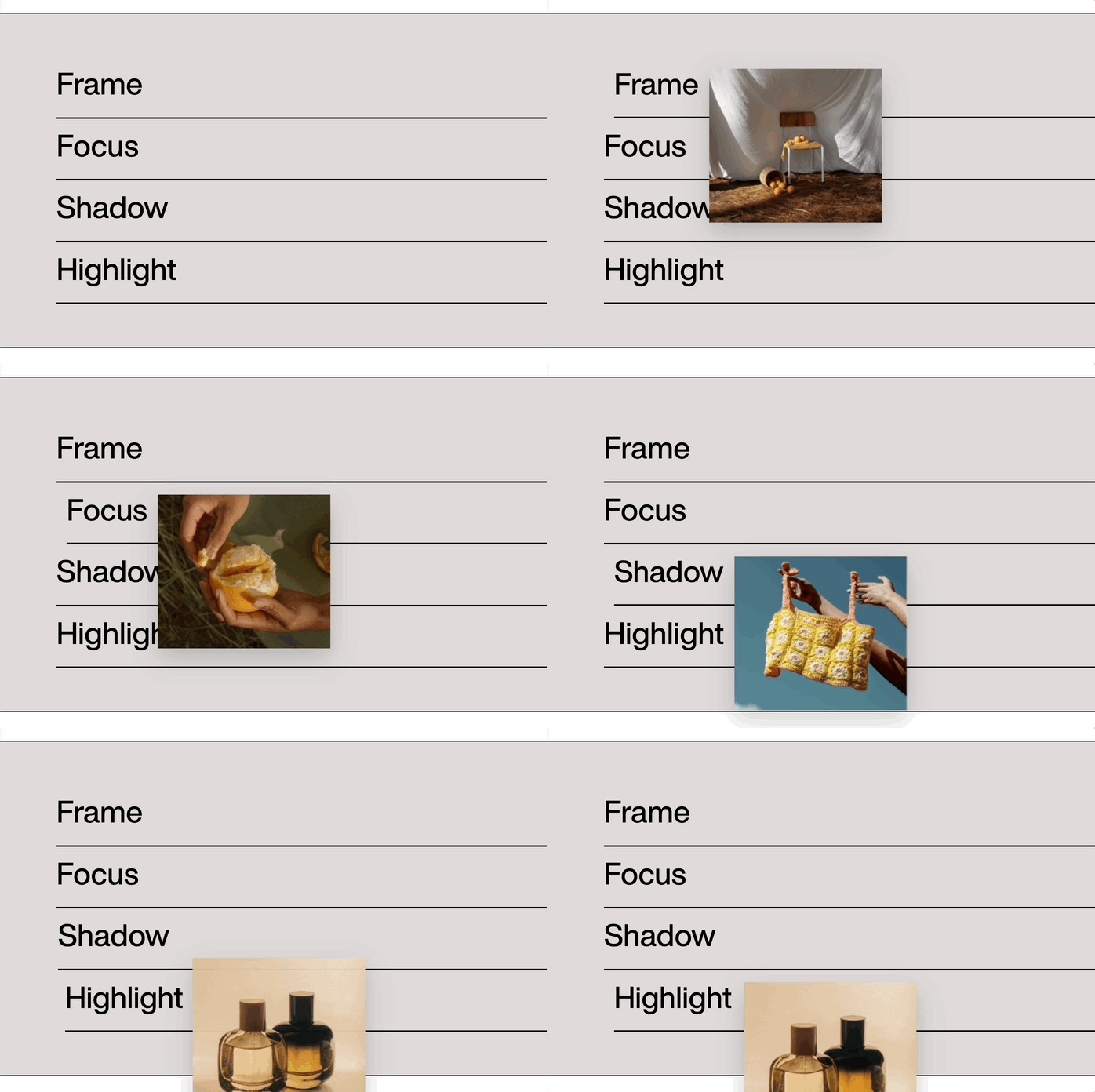
3. Interactive Hover Effects Inside Text
Modern web design increasingly focuses on micro-interactions.
One interesting technique is displaying images directly inside text when users hover over specific words.
This can be used for:
-
product explanations
-
visual storytelling
-
tutorials
-
interactive documentation
For example, when a user hovers over a product name, a small preview image appears instantly.
This creates a more immersive reading experience without forcing users to open new pages or popups.
Compared to full gallery systems or modal popups, hover-based image previews can be much lighter and faster.
4. Animated Headlines and Rotating Words
Dynamic headlines are commonly used on modern landing pages.
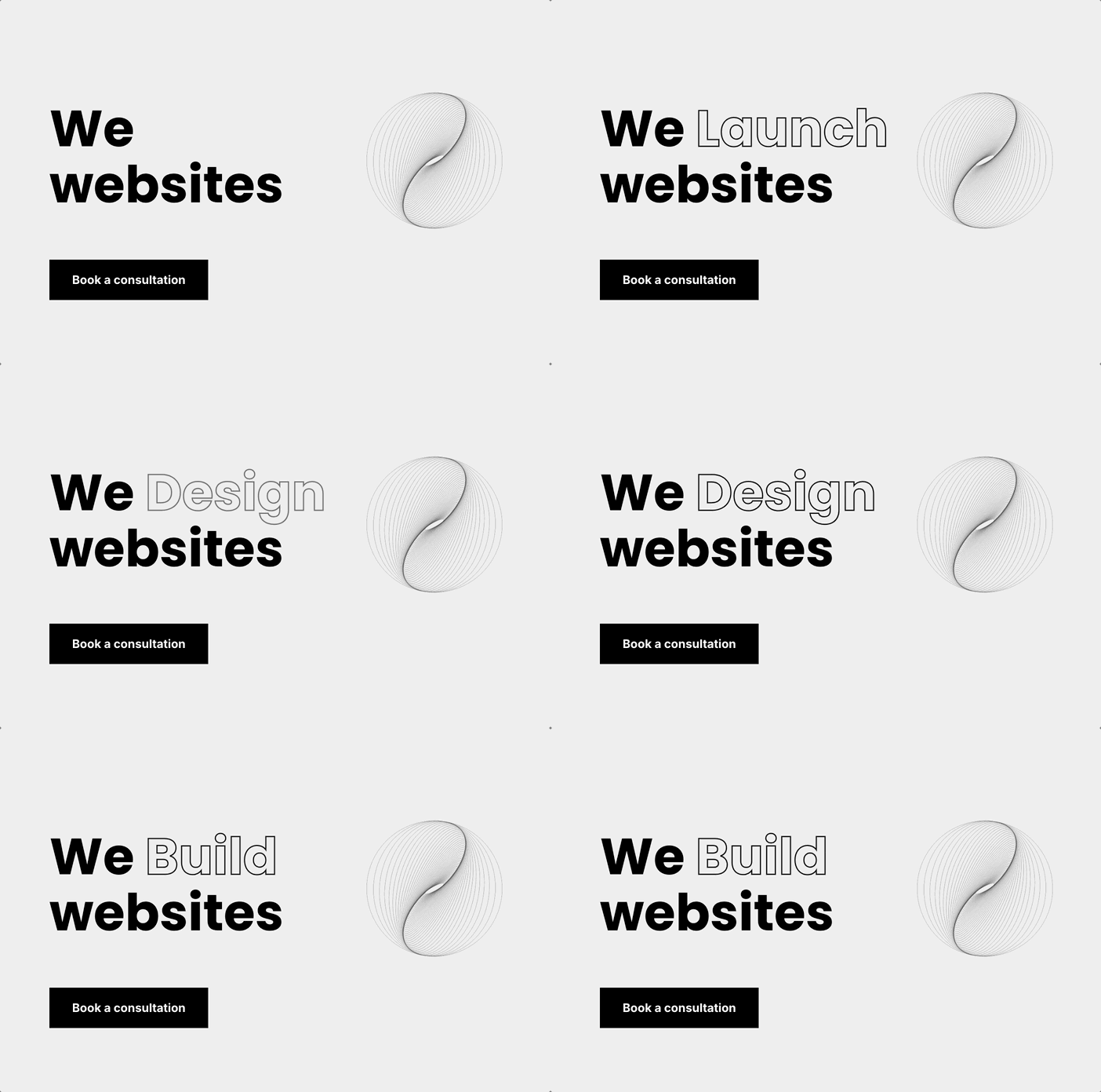
Instead of writing a static sentence, designers rotate certain words to highlight different benefits.
For example:
Build Faster Websites
Build Modern Websites
Build Better Websites
This technique works especially well for hero sections and marketing pages.
While some animation libraries are quite heavy, rotating word animations can also be implemented using very lightweight scripts or shortcode-based plugins.
Because the effect is subtle, it adds movement to the page without overwhelming the design.
5. Cursor Effects and Micro-Interactions
Cursor effects have recently become popular again in modern web design, especially on creative portfolios and SaaS websites.
When implemented correctly, cursor animations can make a website feel more interactive and dynamic.
Examples include:
-
gradient cursor trails
-
hover glow effects
-
cursor scaling interactions
However, many animation frameworks used to create these effects can significantly increase page size.
A better approach is using minimal cursor interaction plugins that add subtle visual feedback without loading large animation libraries.
This way designers can achieve modern interaction design while maintaining performance.
![Gradient Motion Cursor Plugin [€15]](https://alldivitools.com/wp-content/uploads/2026/02/Feb-05-2026-19-58-39.gif)
6. Protecting Website Content
For websites publishing original content, protecting text from simple scraping tools can sometimes be important.
Basic copy-protection plugins prevent actions such as:
-
right-click copying
-
text selection copying
-
basic scraping scripts
While this doesn’t stop advanced scraping tools, it can still reduce casual copying and automated bots.
Like many other features, this functionality can be implemented using very small plugins that add only minimal scripts to the page.
![Copy Protection WordPress DIVI Plugin [€12]](https://alldivitools.com/wp-content/uploads/2026/02/copy-protection.gif)
The Growing Trend: Small UX Plugins Instead of Large Toolkits
One trend that has become increasingly clear in the WordPress ecosystem is the move away from massive all-in-one plugins.
Instead of installing a single plugin with 100 features, many developers now prefer installing several small specialized plugins.
This approach has several advantages:
-
faster websites
-
easier maintenance
-
better control over features
-
fewer conflicts
It also aligns better with modern performance-focused development.
When each plugin focuses on solving a single UX problem, the result is often a cleaner and faster website.
Final Thoughts
Improving user experience on a Divi website doesn’t require heavy frameworks or complex systems.
Often, small interaction improvements such as:
-
copy buttons
-
hover effects
-
animated headlines
-
floating CTAs
-
cursor interactions
can dramatically improve engagement.
The key is choosing lightweight tools that enhance the experience without slowing down the website.
As performance becomes an increasingly important factor for SEO and user satisfaction, this approach will likely become the standard for modern WordPress development.
0 Comments