
Divi FAQ Linker for DIVI
Link directly to specific Divi Toggle items with a simple, lightweight plugin.
Deep links • Copy link button • Divi-ready
Open and share specific FAQ answers inside Divi Toggle modules
Link directly to specific questions inside native Divi Toggle modules with a simple, lightweight plugin. When a visitor opens a URL with a matching anchor, the plugin smoothly scrolls to the correct Toggle item, opens it automatically, and lets users copy a direct link to that exact answer — ideal for FAQ pages, service pages, documentation, and client websites.
Live Demo
This demo includes working Divi Toggle deep links. Click a direct link or copy icon to open and share a specific FAQ item.
How does Divi FAQ Linker work?
Divi FAQ Linker lets you create direct links to individual Divi Toggle items. When a visitor opens a URL with a matching anchor, the page scrolls to the correct Toggle and opens it automatically.
Can I share a direct link to a specific FAQ answer?
Yes. Each Divi Toggle item can have its own CSS ID, so you can share links like yourpage.com/faq/#pricing and send visitors straight to the exact answer they need.
Does it work with Divi 4 and Divi 5?
Yes. Divi FAQ Linker is designed to work with native Divi Toggle modules and is compatible with both Divi 4 and Divi 5.
Can visitors copy FAQ links themselves?
Yes. The plugin can display a copy-link button next to Toggle items, making it easy for visitors or site owners to copy and share a direct link to a specific FAQ answer.
Installation
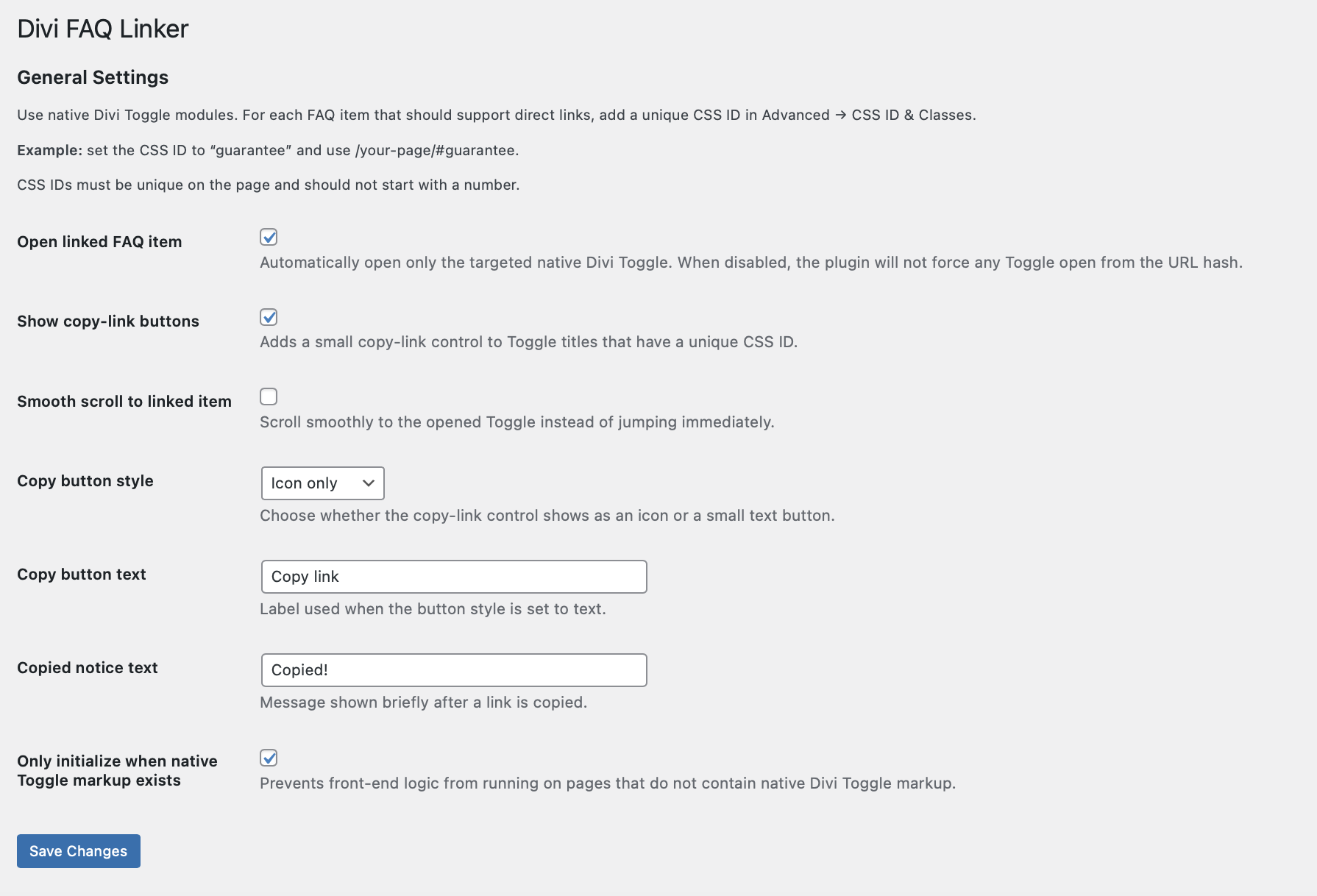
Open Settings → Divi FAQ Linker to configure behavior and button text.
Add CSS IDs to your native Divi Toggle modules.
Use links like yourpage.com/faq/#pricing to open a specific item directly.
Site Requirements
✔ WordPress 5.8 or later
✔ PHP 7.4 or later
✔ Divi theme or Divi Builder
✔ Compatible with Divi 4 and Divi 5
Perfect For
✔ FAQ pages
✔ Service pages
✔ Help centers
✔ Documentation pages
✔ Client websites
Build Better WordPress Websites With Lightweight Plugins
If you want practical WordPress plugins that improve UX, add modern interactions, and keep your website fast, you’re in the right place.
Start with a free plugin or explore the full collection.